Blender addon
-AudioReact
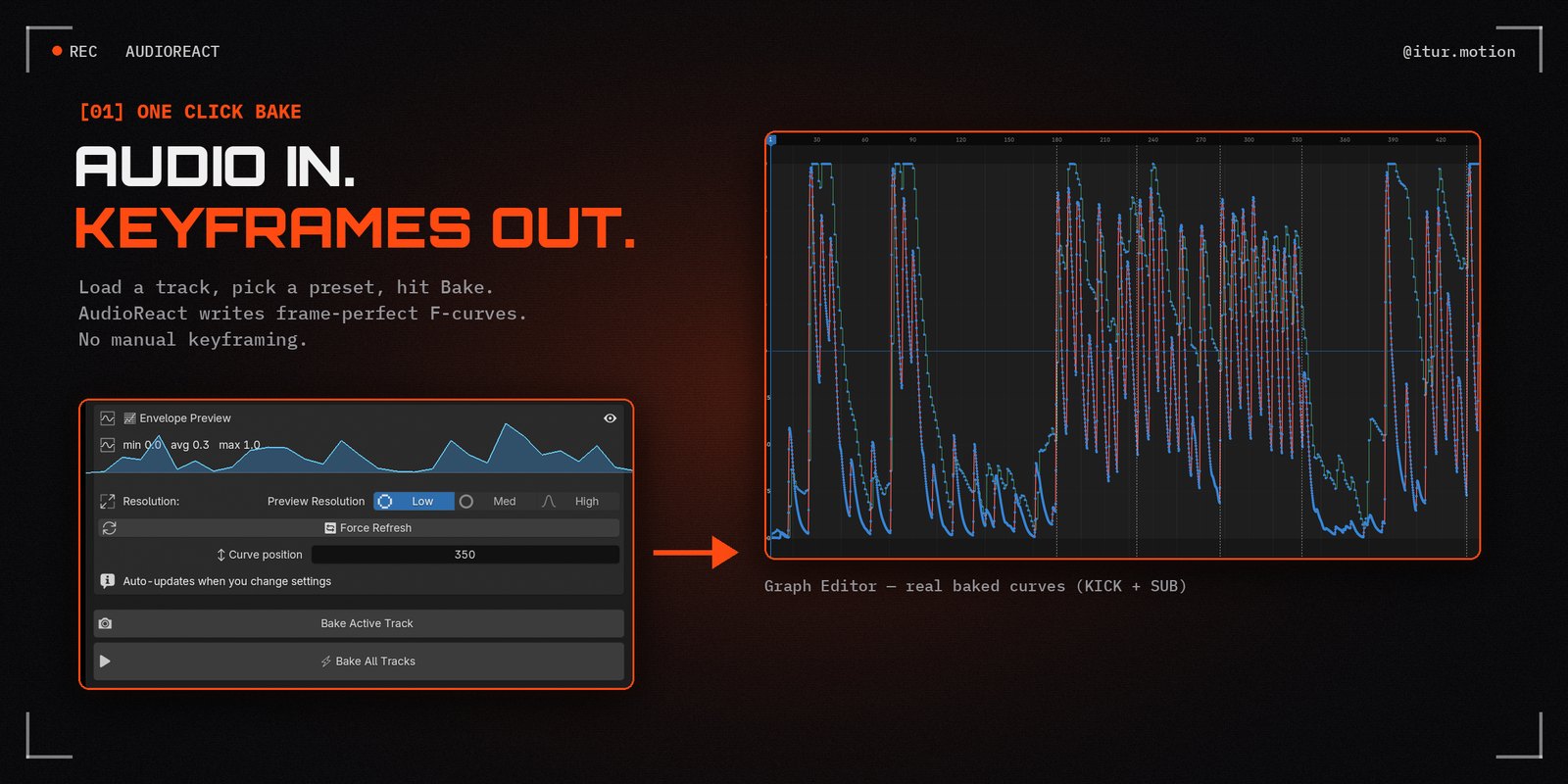
Your music drives your scene. AudioReact listens to any audio file, splits it into musical bands (kick, snare, hi-hats, sub…) and bakes them into real keyframes on whatever you choose: shaders, lights, transforms, Geometry Nodes or the compositor. One click, no drivers, no scripts.
Launch price, first month only.
Output
-Real F-curve keyframes
no drivers, no handlers
Drives
-Shaders · Lights · Transforms
Geo Nodes · Compositor
Blender
-4.4 → 5.1
Cycles & EEVEE
Included
-Addon · PDF guide
Example scene + music
The full workflow, recorded straight from Blender: load a track, add a track with a genre preset, plug the AudioReact Value node into your material and bake. Everything moving in these videos is keyframed by the addon and synced to the music.
How it works
Load your track
Source tab → pick any audio file (wav, mp3, flac…). Nothing else to install.
Add a track
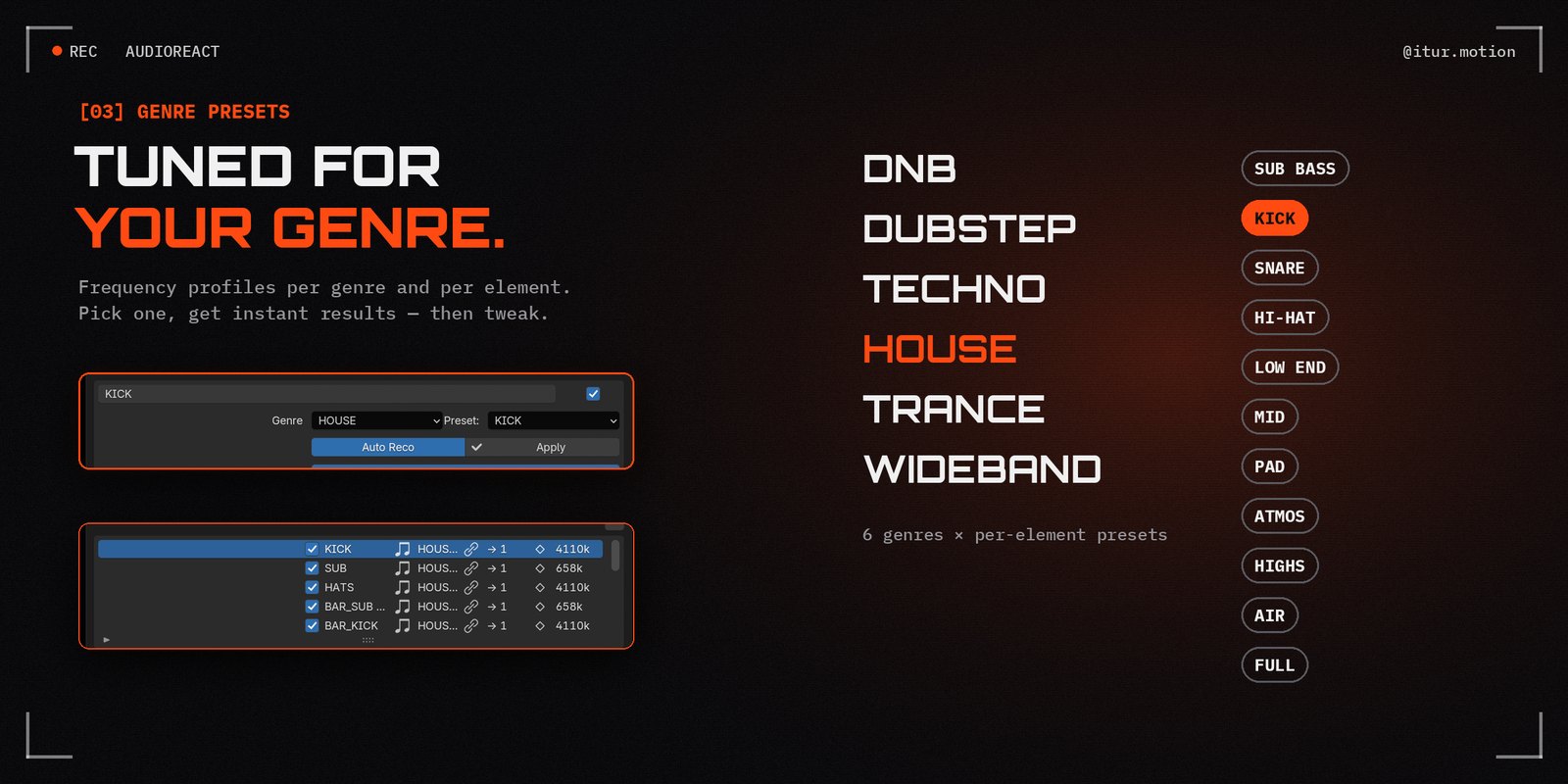
Choose a genre (DnB, Dubstep, Techno, House, Trance, Wideband) and a band: sub bass, kick, snare, hi-hat, atmos, air… The recommended envelope is applied for you.
Add a target
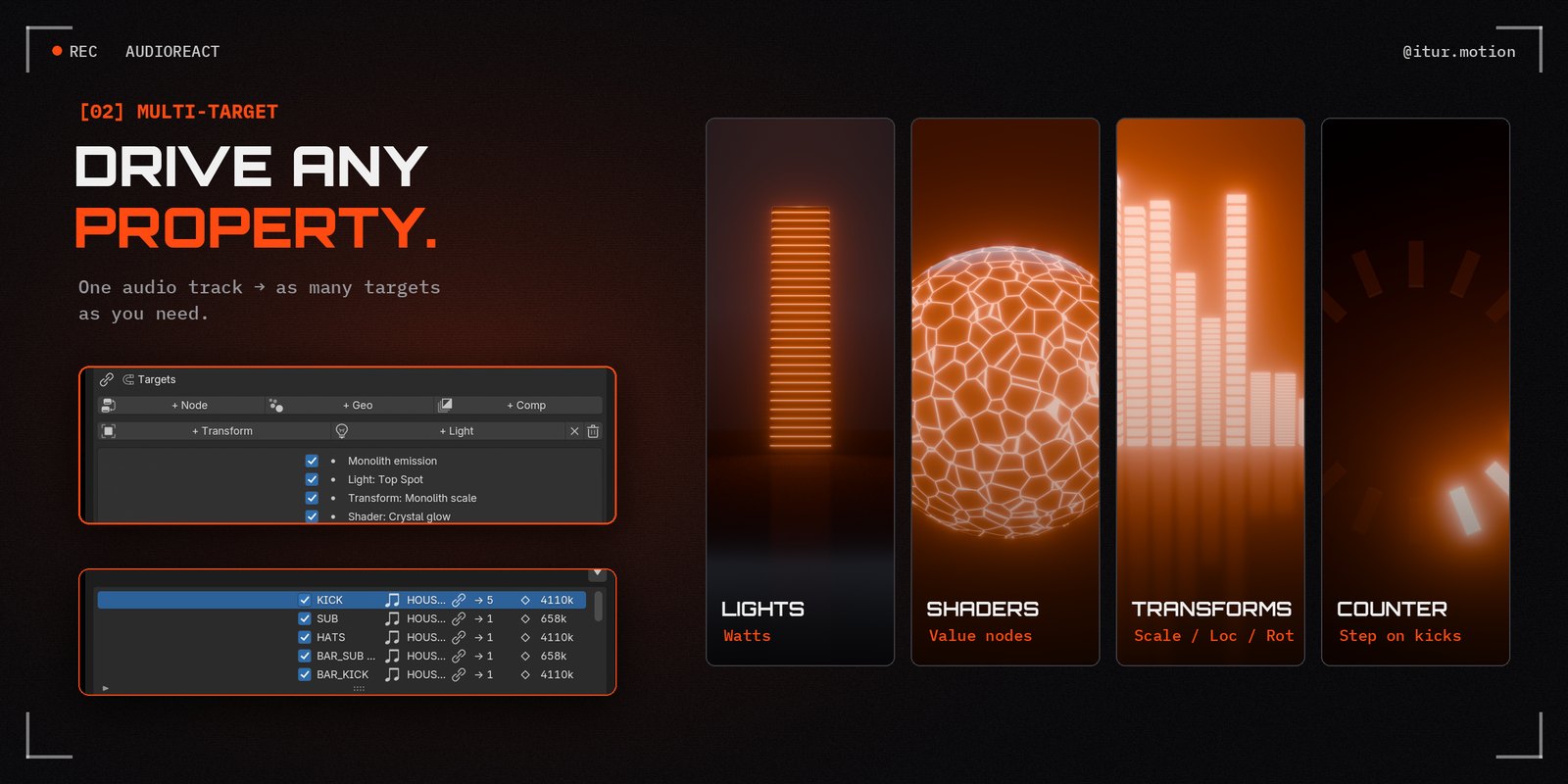
“+ Node” creates an AudioReact Value node: plug it into anything. Or target a light, a transform, a Geometry Nodes input or a modifier.
Bake
One click writes clean, linear keyframes for every track. Press play, render, or keep editing them in the Graph Editor.
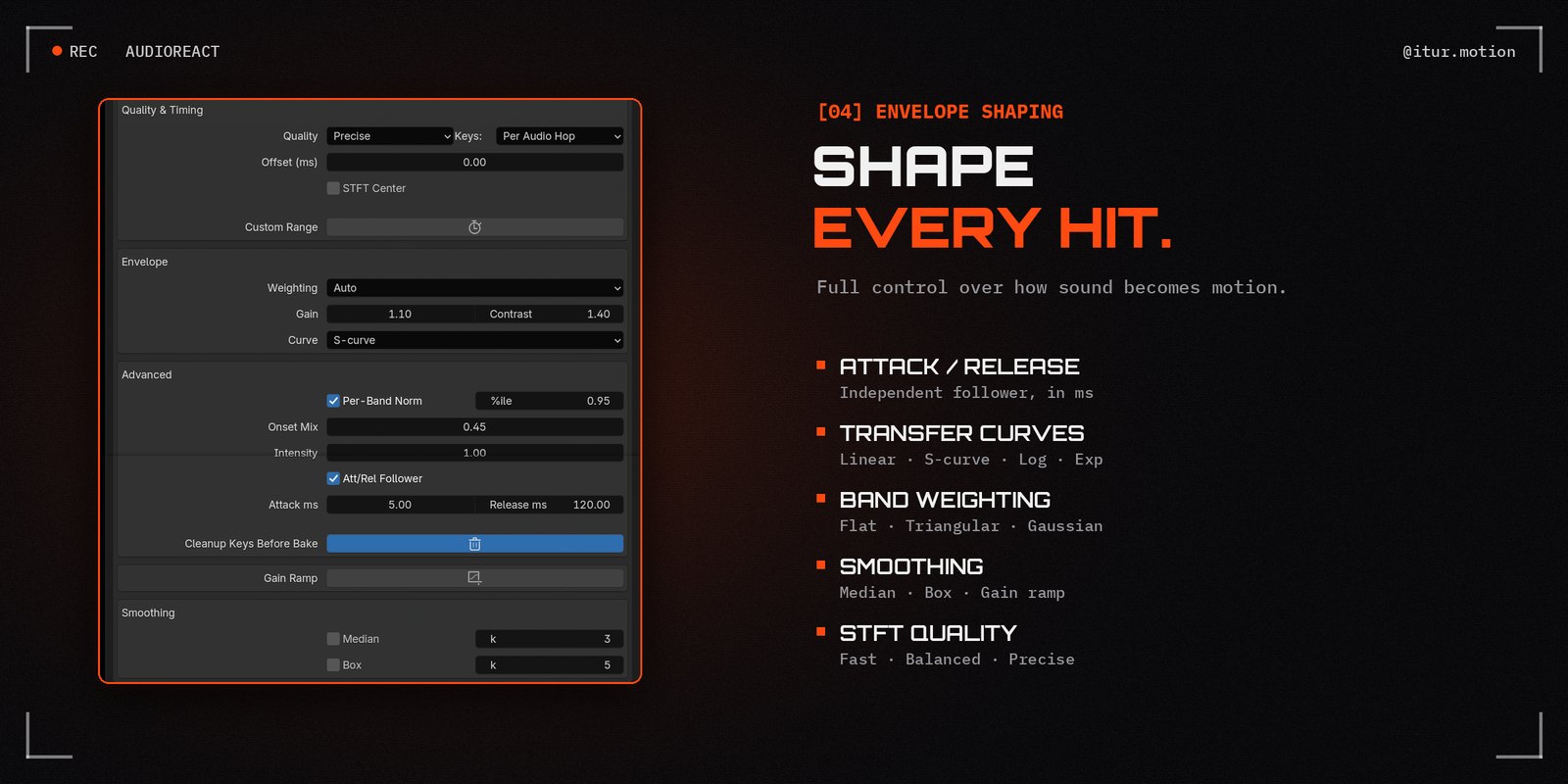
Every track has its own envelope, so a kick can hit hard and short while a pad breathes slowly. The live envelope preview shows exactly what will be baked before you press the button. Counter mode adds a step on every hit (perfect for sequencers and rings), and Accumulate turns loudness into speed for patterns that flow with the energy of the track.
Open it, press play. Five stations, one per type of target, already baked on an original 174 BPM drum & bass track made for the file (royalty free). Every track is named “what it listens to → what it drives”, and a README inside Blender explains each setup. Swap in your own song and re-bake in one click.
Good to know
Which Blender versions?
Blender 4.4 and newer (made and tested on 5.1, Windows). Works with Cycles and EEVEE, since the result is plain keyframes.
Do I need to install anything else?
No. AudioReact reads your audio with Blender's own built-in audio engine, so there is no FFmpeg or other tool to install. Drop the zip into Blender and you're ready.
Will it slow down my scene?
No. Nothing is computed during playback: the bake writes keyframes once, then Blender just plays them back like any animation.
Can I edit the animation afterwards?
Yes. Keys are linear F-curves you can scale, offset, smooth or delete in the Graph Editor, or re-bake at any time with new settings.
What can it drive?
Any Value node (shaders, world, Geometry Nodes, compositor), light power, object location / rotation / scale, Geometry Nodes modifier inputs and modifier properties.
Support
Questions or bugs: contact.itvisuals@gmail.com or through Superhive. The user guide covers the full workflow.
AudioReact
-Make Blender listen to your music.
€19 launch price for the first month. Addon, PDF guide and example scene included.